|
Allow ICMP Echo Reply
2017/02/05 |
|
The default setting of Windows Firewall blocks ICMP, so the Server will never reply from other Hosts with ping command.
If you'd like to allow ICMP, Set like follows.
|
|
| [1] | Run [Server Manager] and open [Tools] - [Windows Firewall with Advanced Security]. |
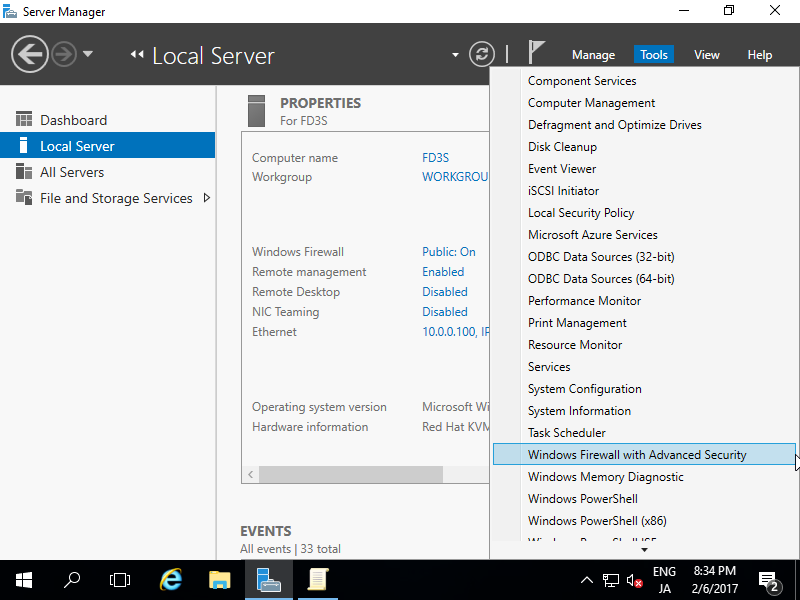
|
| [2] | Select [Inbound Rules] on the left pane and click [New Rule] on the right pane. |
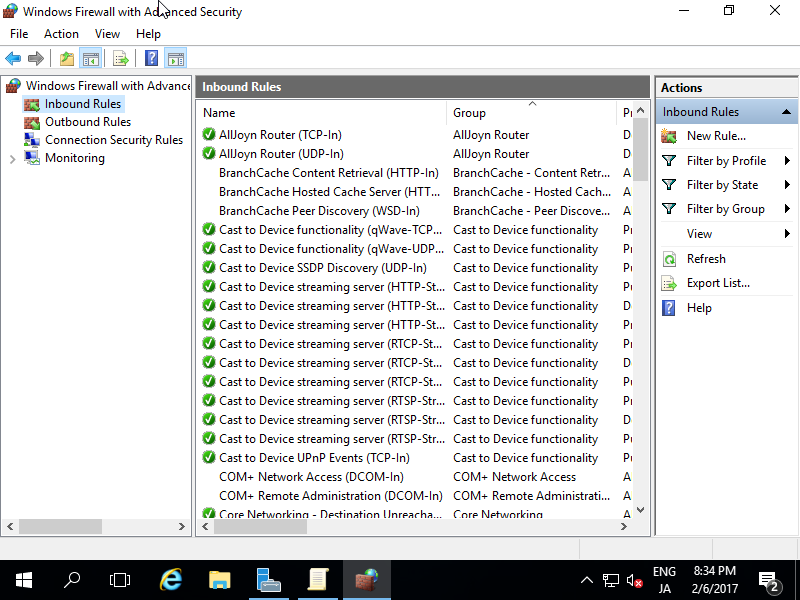
|
| [3] | Select [Custom]. |
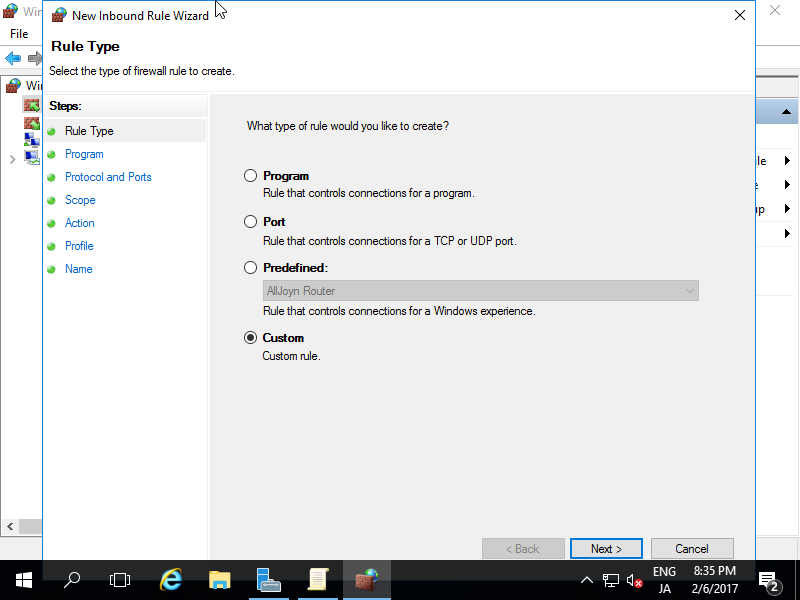
|
| [4] | Select [All programs]. |
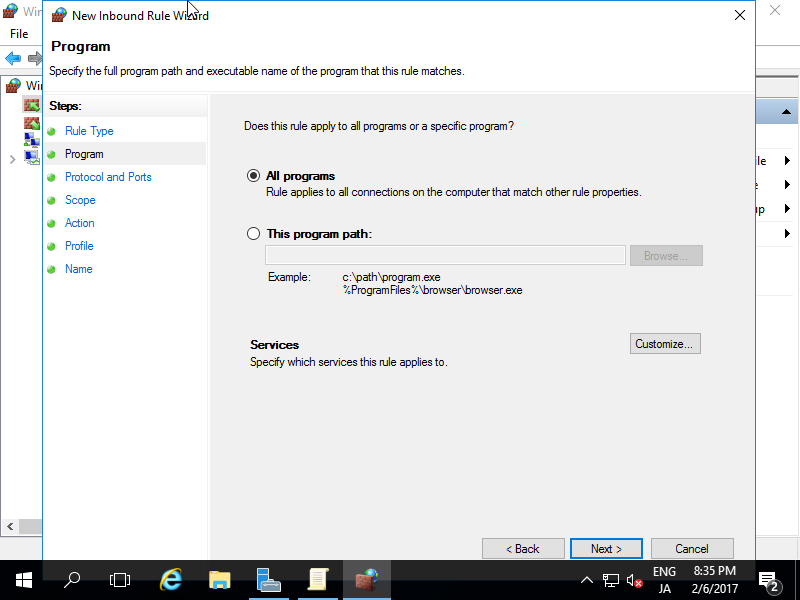
|
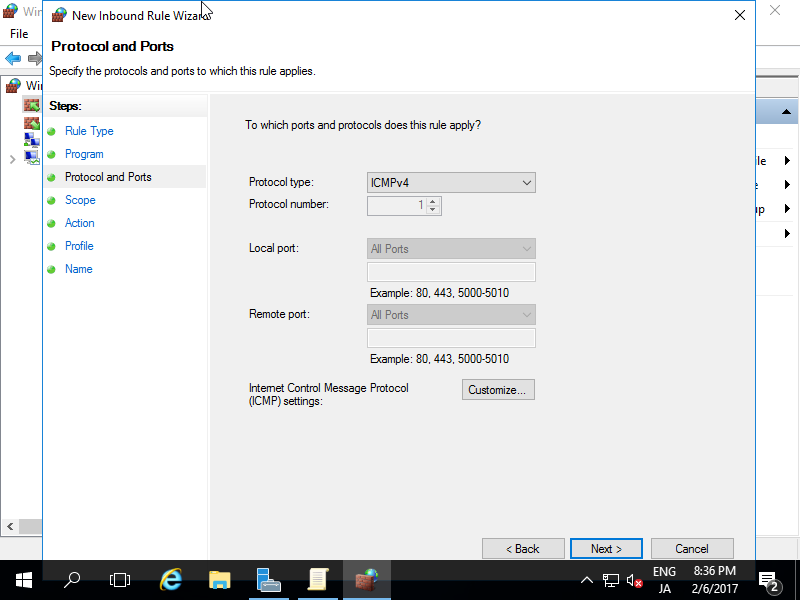
| [5] | Select [ICMPv4] on the [Protocol Type]. |
|
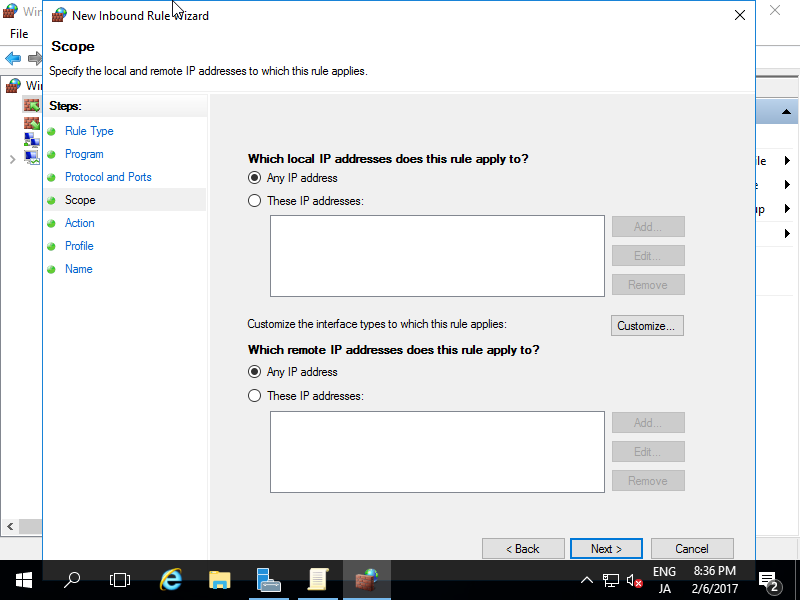
| [6] | Specify the range of network for allow ICMP. |
|
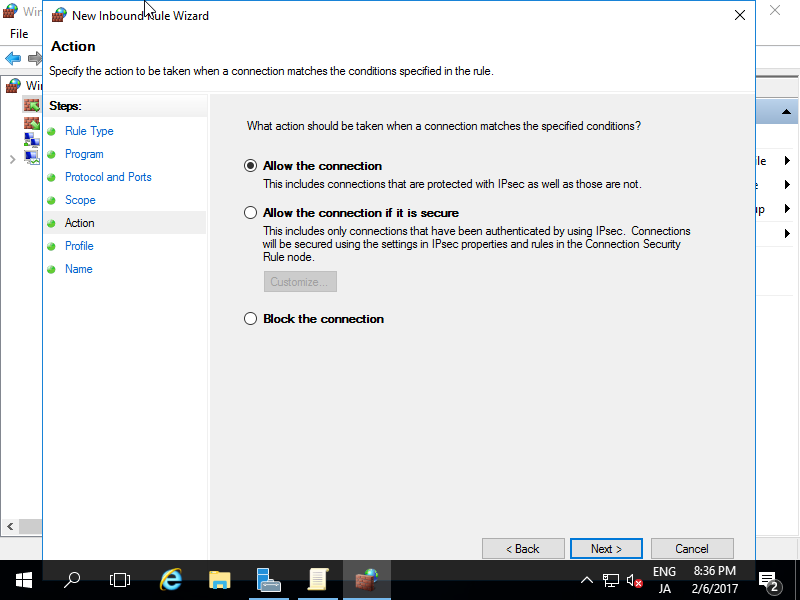
| [7] | Select [Allow the connection]. |
|
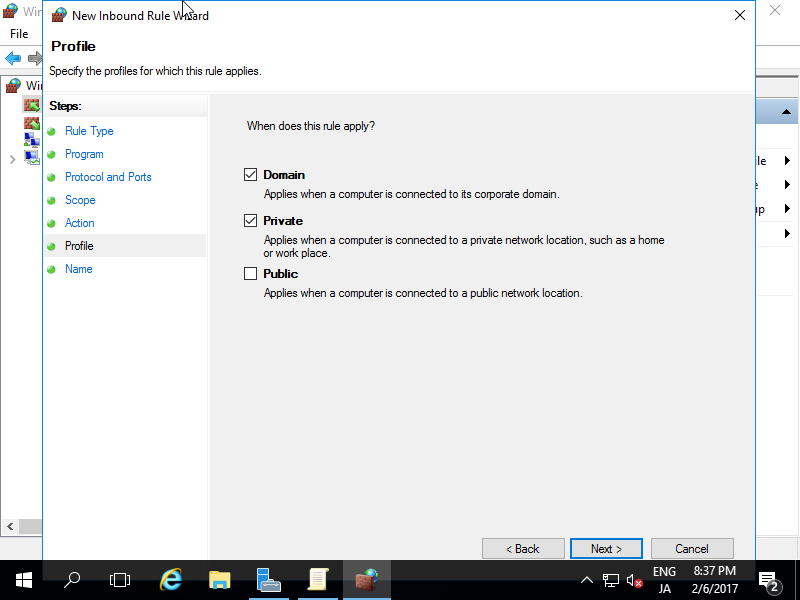
| [8] | Select the network profiles which you'd like to allow ICMP. |
|
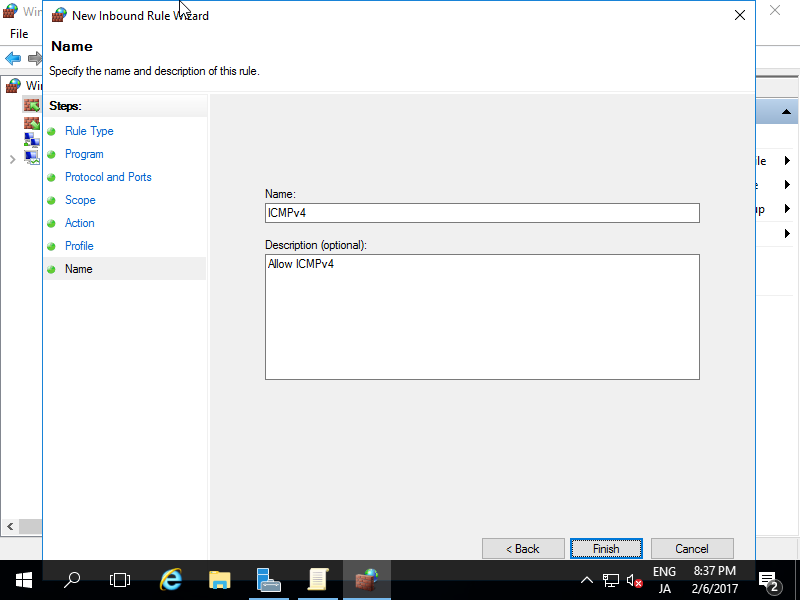
| [9] | Input any name for [Name] field. It's OK all, your Server will reply to ping command from other Hosts. |
|